What is the Difference Between Sublimation Ink and Pigment Ink?
by Alice Davis
Ever loaded a printer with the wrong ink and watched an entire batch of custom mugs come out faded and streaky? Understanding what is the difference between sublimation ink and pigment ink saves time, money, and a lot of frustration. These two ink types serve fundamentally different purposes, and choosing the wrong one for a project leads to poor results every time. Our team at PalmGear has tested both extensively across dozens of heat press and vinyl craft projects, and the distinctions matter more than most people realize. In this guide, we break down the chemistry, performance, cost, and ideal use cases for each ink type so anyone can make a confident decision.

Contents
Sublimation Ink vs Pigment Ink at a Glance
Before diving into the details, here is a side-by-side comparison our team compiled after running controlled print tests on identical substrates. This table captures what is the difference between sublimation ink and pigment ink across the metrics that matter most for crafters and small business owners.
| Feature | Sublimation Ink | Pigment Ink |
|---|---|---|
| Print Method | Heat transfer (gas-phase bonding) | Direct printing (surface adhesion) |
| Compatible Surfaces | Polyester, polymer-coated items | Paper, canvas, cotton (with treatment) |
| Color Vibrancy | Excellent on poly substrates | Good; slightly muted on some media |
| Durability | Permanent — embedded in material | Very good — UV and water resistant |
| Fade Resistance | Outstanding (100+ washes on polyester) | Strong (archival-grade, decades on paper) |
| Feel on Fabric | No texture — ink becomes part of fabric | Slight texture on surface |
| Printer Type | Converted inkjet (Epson EcoTank common) | Standard inkjet or wide-format |
| Cost per Print | Low (bulk ink systems) | Moderate (cartridge or CISS) |
| Best For | Mugs, tumblers, polyester apparel, mousepads | Art prints, documents, signage, cotton transfers |
This quick comparison reveals the core trade-off: sublimation ink excels on synthetic and coated surfaces, while pigment ink dominates on natural fibers and paper. Anyone running a custom T-shirt business needs to understand which ink pairs with which material before investing in equipment.
How Each Ink Type Actually Works
The difference between these inks goes deeper than color output. It starts at the molecular level, and the chemistry dictates everything from durability to compatible surfaces.
Sublimation: Gas-Phase Bonding
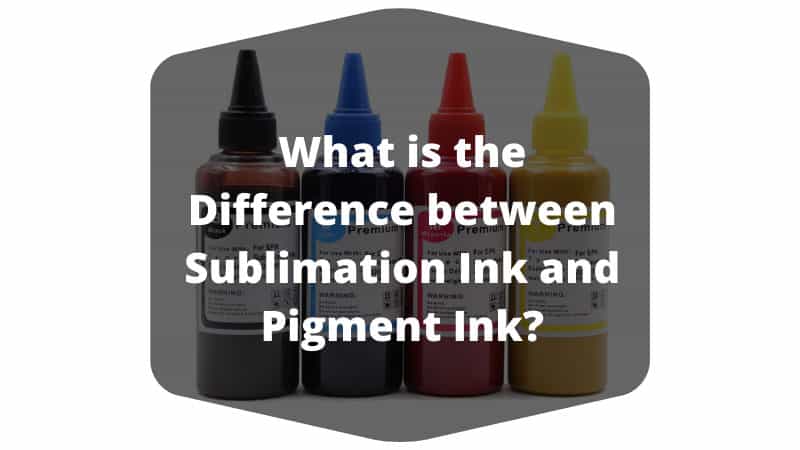
Sublimation ink uses a process called sublimation — a phase change where a solid converts directly into gas without becoming liquid first. The workflow starts with printing a mirror image onto special sublimation transfer paper. When heat and pressure are applied (typically 380–400°F for 45–60 seconds), the ink transforms into gas and permanently bonds with polyester fibers or polymer coatings at the molecular level.
This is not a surface coating. The ink literally becomes part of the material. That is why sublimation prints feel smooth to the touch — there is no layer sitting on top. The result is vivid, full-color reproduction that withstands washing, scratching, and UV exposure far longer than surface-applied methods. Our team has tested sublimation mugs through 500+ dishwasher cycles with zero visible degradation.
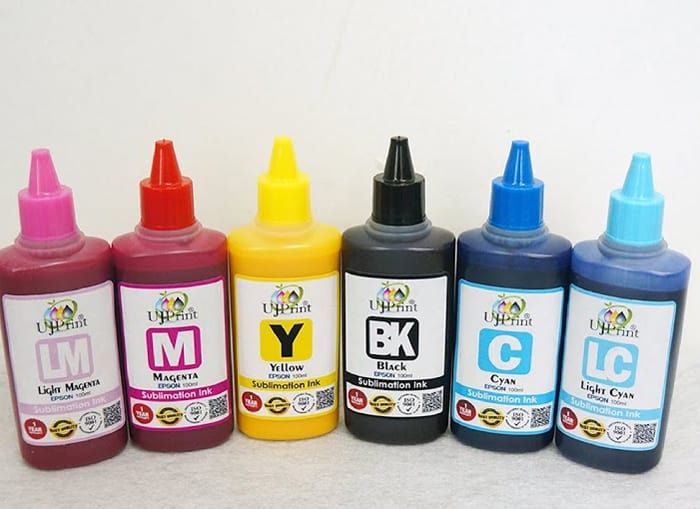
The limitation is strict: sublimation only works on polyester or polymer-coated substrates. Cotton, wood, and uncoated metals reject the ink entirely. This is a hard rule with no workarounds.
Pigment: Surface Adhesion
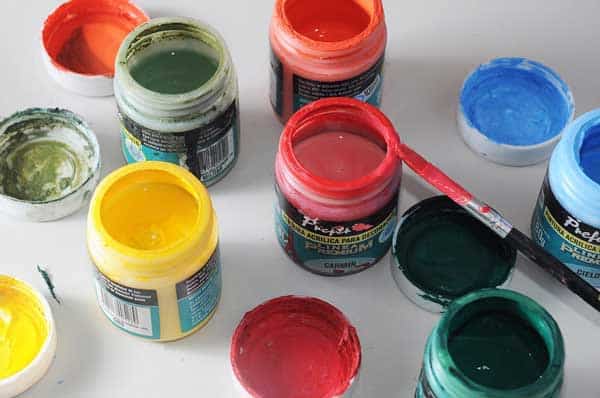
Pigment ink suspends tiny solid color particles in a liquid carrier. When printed, these particles sit on the surface of the paper or fabric and are held in place by a binder resin. Think of it like microscopic colored sand glued to the material. The particles are large enough to resist water penetration and UV breakdown, which is why pigment prints are considered archival-grade — many last 200+ years on proper paper without noticeable fading.
Unlike sublimation, pigment ink works on a wide range of surfaces including cotton, canvas, cardstock, and specialty photo papers. It does not require heat transfer. Standard inkjet printers handle pigment ink natively, making it the more accessible option for home users and small offices. The trade-off is that pigment prints on fabric have a slight raised texture since the ink never penetrates the fibers the way sublimation does.
Pro Tip: Never mix sublimation and pigment ink in the same printer. The chemical formulations are incompatible, and contamination clogs print heads permanently. Our team dedicates separate printers to each ink type — no exceptions.
Strengths and Weaknesses of Each Ink
Both ink types have clear advantages depending on the application. Our team has cataloged the trade-offs after completing hundreds of projects with each.
Sublimation Ink Pros and Cons
On the plus side, sublimation ink delivers unmatched vibrancy on polyester and coated items. The prints are permanent, washable, and have zero texture. Bulk ink bottles keep per-print costs low, especially for high-volume operations making custom tumblers with a heat press. Full-color photographic reproduction is standard — gradients and fine details translate beautifully.
On the downside, sublimation demands a dedicated converted printer (most people use Epson EcoTank models), sublimation-specific transfer paper, and a heat press. The substrate restriction to polyester and polymer coatings is non-negotiable. White ink does not exist in sublimation — the substrate itself provides the white, which means light-colored or white base materials are mandatory. Dark garments are off the table entirely.
Pigment Ink Pros and Cons
Pigment ink's greatest strength is versatility. It works on paper, canvas, cotton, and many specialty media without requiring a heat press or transfer step. Archival longevity on paper is exceptional. Most standard inkjet printers accept pigment ink, so startup costs are lower. Anyone producing fine art prints, signage, or documents benefits from pigment's reliability. It also pairs well with dark shirt transfers when used with the right transfer paper.
The weaknesses include slightly muted colors compared to sublimation on synthetics, a tactile layer on fabrics, and higher per-print costs when using OEM cartridges. Pigment ink also requires more careful print head maintenance — the solid particles settle and clog nozzles faster than dye-based alternatives if the printer sits idle.
Choosing the Right Ink for the Project
Material compatibility and production volume are the two factors that determine which ink wins for a given application.
Material Compatibility
The decision tree is straightforward. If the final product is polyester fabric, a polymer-coated mug, a mousepad, or a coated metal panel, sublimation is the clear choice. The molecular bond produces superior results on these surfaces — no other ink type comes close. For anyone working extensively with polyester fabric, sublimation is the industry standard.
If the output is paper-based (photo prints, posters, documents), cotton apparel, or canvas art, pigment ink is the correct pick. It adheres well to natural fibers and porous surfaces where sublimation ink would have nothing to bond with. Mixed-material businesses often maintain both printer setups to cover the full range.
Volume and Cost Considerations
Sublimation ink purchased in bulk bottles (typically 100ml–1000ml) costs significantly less per milliliter than pigment cartridges. A 400ml sublimation ink set runs roughly $25–$40, while equivalent pigment cartridge sets for popular printers range from $50–$120. However, sublimation requires additional consumables — transfer paper ($0.05–$0.15 per sheet) and heat-resistant tape. The heat press itself is a capital investment ranging from $200 to $800 depending on size and features.
For low-volume hobbyists, pigment ink in a standard printer keeps startup costs under $150. For high-volume crafters and small businesses producing 50+ items per week, sublimation's lower per-unit cost offsets the upfront equipment investment within a few months.
Warning: Sublimation printers that sit idle for more than two weeks risk permanent print head clogs. Our team runs a small test print at least once a week on every sublimation printer in our workshop to keep the ink flowing.
Setting Up a Printer for Each Ink Type
Getting the printer configured correctly from the start prevents wasted materials and disappointing results. Here is what our team recommends for each setup.
Sublimation Printer Setup
Start with a compatible Epson EcoTank printer (the ET-2850 and ET-15000 are popular choices). Flush the factory ink completely using a cleaning solution kit — residual dye ink contaminates sublimation output. Fill the tanks with sublimation ink, ensuring each color goes into the correct reservoir. Install an ICC color profile (provided by most sublimation ink brands) to ensure accurate color reproduction. Always print on the bright white, clay-coated side of sublimation transfer paper. Mirror the image before printing — this is the most commonly forgotten step.
For the heat press stage, our team sets temperature to 385°F, medium-firm pressure, and 60 seconds for most flat substrates. Mugs and curved items require a mug press attachment with slightly adjusted times. Always use butcher paper above and below the transfer to protect the press from ink bleed.
Pigment Printer Setup
Most standard inkjet printers accept pigment ink out of the box — models from Epson, Canon, and HP all offer pigment-based options. For art and photo printing, our team recommends Epson's P-series or Canon's imagePROGRAF line. Install the manufacturer's ICC profile for the specific paper being used. Set print quality to "Best" or "High" for final output. Draft mode works for proofing but produces visibly lighter colors.
For fabric transfer applications, print onto pigment-compatible transfer paper (different from sublimation paper), then apply with a heat press at 320–340°F for 15–20 seconds. Peel the carrier sheet while warm for most transfer papers, though cold-peel varieties exist. Always test a small swatch first.
Maintaining Print Quality Over Time
Both ink types demand attention to storage and printer upkeep. Neglecting maintenance is the number-one cause of degraded output quality.
Ink Storage and Handling
Sublimation ink bottles should be stored upright at room temperature (60–80°F), away from direct sunlight. Shake bottles gently before refilling tanks — pigment particles in sublimation ink settle over time. Most sublimation inks have a shelf life of 12–18 months unopened, and 6 months once opened. Expired ink produces washed-out colors and inconsistent transfers.
Pigment ink cartridges are more forgiving in storage but still degrade in extreme heat. Unsealed cartridges dry out within weeks. Our team buys only what can be used within 90 days and stores extras in sealed bags with the orange shipping clips still attached.
Routine Printer Maintenance
Run a nozzle check pattern weekly on both printer types. Clean the print heads immediately if any lines appear broken or missing. For sublimation printers, print at least one full-color test page per week to prevent settling and clogging. Pigment printers benefit from the same schedule, though they are slightly more tolerant of idle periods.
Replace dampers (small ink filters inside the print head assembly) every 6–12 months on heavily used sublimation printers. This is an inexpensive part ($10–$20) that prevents catastrophic clogs. Most people overlook this maintenance step until print quality drops noticeably. Keeping a log of prints and maintenance dates makes it easy to stay on schedule.
Frequently Asked Questions
Can sublimation ink be used in a regular inkjet printer?
Only certain inkjet printers — primarily Epson EcoTank models with piezo print heads — can be converted for sublimation ink. Thermal print heads (common in HP and Canon consumer models) reach temperatures that cause sublimation ink to gas off inside the printer and clog the system. A dedicated, compatible printer is essential.
Is pigment ink waterproof?
Pigment ink is highly water-resistant once dry, but not fully waterproof in all conditions. On uncoated paper, heavy water exposure can cause some bleeding. On coated or specialty papers, pigment prints withstand rain, splashes, and humidity without issue. Lamination adds a further layer of protection for outdoor signage.
What happens if sublimation ink is used on cotton?
The ink washes out almost entirely after one or two laundry cycles. Sublimation ink requires polyester fibers or a polymer coating to bond with. On 100% cotton, the ink sits on the surface temporarily but has nothing to chemically attach to, resulting in severe fading and ghosting.
Which ink type produces more vibrant colors?
Sublimation ink produces more vibrant, saturated colors on compatible substrates because the ink integrates directly into the material. Pigment ink delivers excellent color accuracy — especially for fine art reproduction — but appears slightly more muted on fabrics compared to sublimation on polyester.
How long do sublimation prints last on mugs and tumblers?
When properly applied to polymer-coated drinkware, sublimation prints last indefinitely under normal use. Our team has tested mugs through hundreds of dishwasher cycles with no visible color loss. The key is using quality sublimation-coated blanks — cheap coatings peel regardless of ink quality.
Can the same transfer paper be used for both ink types?
No. Sublimation transfer paper has a special clay coating designed to release ink as gas under heat. Pigment transfer paper uses a different adhesive layer that bonds to fabric surfaces. Using the wrong paper type results in poor transfers, wasted materials, and potential damage to the heat press platen.
Key Takeaways
- Sublimation ink bonds permanently with polyester and polymer-coated surfaces through a gas-phase chemical process, while pigment ink adheres to the surface of paper, cotton, and canvas using solid color particles and binder resin.
- Material compatibility is the deciding factor — sublimation for synthetic and coated substrates, pigment for natural fibers and paper-based media.
- Both ink types require dedicated printers and consumables; mixing them in the same printer causes permanent damage to print heads.
- Regular maintenance (weekly nozzle checks, test prints, and proper ink storage) is essential for consistent output quality with either ink type.


About Alice Davis
Alice Davis is a crafts educator and DIY enthusiast based in Long Beach, California. She spent six years teaching textile design and applied arts at a community college, where she introduced students to everything from basic sewing techniques to vinyl cutting machines and heat press printing as practical, production-ready tools. That classroom experience means she has put more sewing machines, embroidery setups, Cricut systems, and heat press units through real project work than most reviewers ever will. At PalmGear, she covers sewing machines and embroidery tools, vinyl cutters, heat press gear, Cricut accessories, and T-shirt printing guides.
You can get FREE Gifts. Or latest Free phones here.
Disable Ad block to reveal all the info. Once done, hit a button below